Motion Computing J3500 T008 User's Guide Page 45
- Page / 86
- Table of contents
- TROUBLESHOOTING
- BOOKMARKS

- J3500 Tablet PC 1
- User’s Guide 1
- Contents 3
- Getting Started 7
- Overview 8
- Setting up the J3500 12
- 8 Chapter 1 Getting Started 14
- Features 15
- Pen and touch 16
- Front panel buttons 17
- Camera (optional) 18
- Battery status light 18
- Motion QuickNav 18
- Security 19
- Windows Security button 19
- Fingerprint reader 19
- Microphones 20
- Speakers 20
- Ambient light sensor (ALS) 21
- USB 2.0 ports 21
- Headphones port 21
- Microphone port 21
- Security slot 22
- VGA port 22
- Ethernet port 22
- Docking connector 22
- Express card slot (optional) 23
- SIM card slot 23
- Wi-Fi (802.11a/g/n wireless) 23
- Mobile broadband 24
- GPS receiver 24
- Bluetooth wireless (optional) 25
- Power adapter 25
- J-Series FlexDock (optional) 26
- 22 Chapter 2 Features 28
- Using your Tablet PC 29
- Using Motion Dashboard 30
- Using the Motion utility 31
- Using the pen 31
- Using Tablet PC Input Panel 32
- Configuring pen options 33
- Using touch (optional) 33
- Enabling and disabling touch 34
- Configuring touch mode 34
- Dashboard 35
- Directional pad 35
- Using Motion QuickNav 36
- Using USB 37
- Using Ethernet 37
- Using the camera (optional) 38
- Using the display 40
- Rotating the display 41
- Using speech recognition 43
- Taking the Speech Tutorial 44
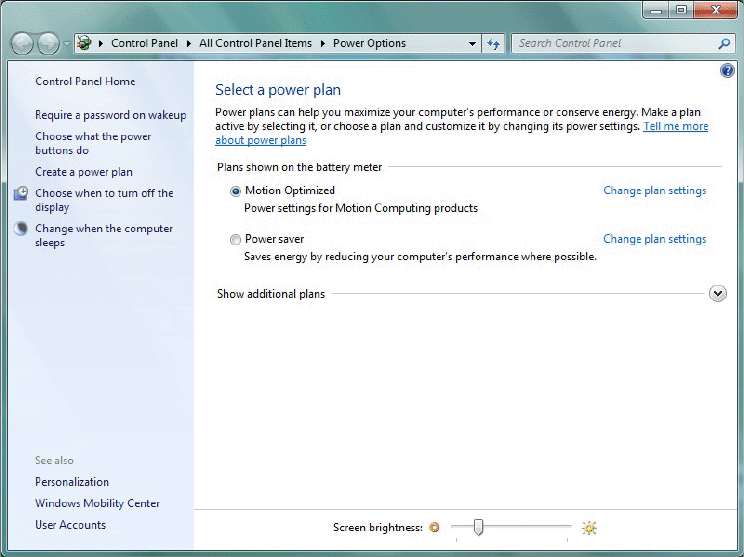
- Using power plans 45
- Using Sleep 46
- Using Hibernate 47
- Using the battery 47
- Charging the battery 49
- Battery maintenance 51
- Capturing a fingerprint 53
- Using password replacement 55
- Using the password wizard 56
- Using Windows Security Center 57
- Setting a BIOS password 58
- Using Wi-Fi (802.11a/g/n) 59
- Setting up a Wi-Fi connection 60
- Using Bluetooth (optional) 61
- Setting up a Bluetooth device 62
- Finding additional software 63
- Care and Maintenance 65
- Standard display 66
- Cleaning solutions 66
- Replacing pen tips 67
- Traveling with your Tablet PC 68
- Creating a backup archive 69
- Restoring data 70
- Troubleshooting and 73
- Ports and connectors 76
- Frequently asked questions 78
- Specifications 79
- Service and support 79
- Numerics 81
- 80 Index 86
Related products and manuals for Tablets Motion Computing J3500 T008
 (18 pages)
© 2020, manymanuals.com. All rights reserved. | 0.028 s |
 Manymanuals.com
 Manymanuals.de
 Manymanuals.fr
 Manymanuals.it
 Manymanuals.pl
 Manymanuals.cz
 Manymanuals.es
 Manymanuals-pt.com
Comments to this Manuals